
Innoslate offers two primary license categories: Floating and Named. These categories apply across multiple access roles, allowing organizations to balance flexibility, cost, and guaranteed availability.
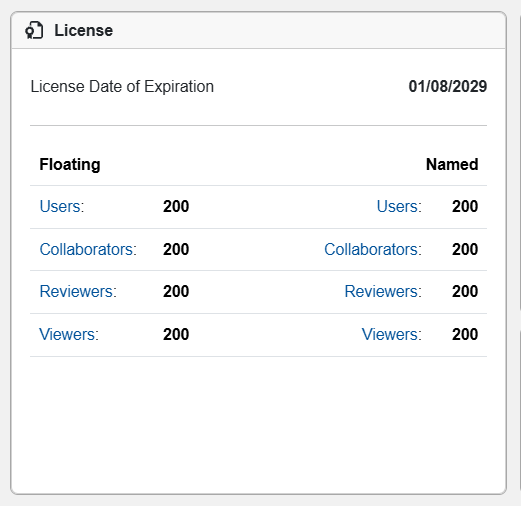
Floating Licenses
Floating licenses are shared across the organization. Access is managed on a concurrent basis—the system allows a limited number of simultaneous active sessions for each role, based on the available floating licenses. When a user logs out, their session frees up for someone else.
Floating licenses are ideal for:
-
Larger teams or organizations with many occasional or rotating users.
-
Cost-efficient scaling where not everyone needs simultaneous access.
-
Situations where maximizing license utilization is a priority.
Named Licenses
Named licenses are permanently assigned to specific individual users. Each assignee has exclusive, dedicated access that is always available to them, unaffected by what other users are doing.
Named licenses are best for:
-
Power users, core team members, or stakeholders who require uninterrupted, predictable access at any time.
-
Roles with critical or frequent responsibilities where session contention could disrupt work.
Access Roles
Both Floating and Named licenses support the following standardized roles, which determine the level of interaction a user can have within projects:
-
Users — Full access with edit capabilities. These users can create, modify, manage, simulate, baseline, and fully collaborate on projects (including creating/deleting entities, running analyses, etc.). Equivalent to high-level project permissions such as Owner or Collaborator in most contexts.
-
Collaborators — Read and write access with collaboration features. Users can view, edit content, add comments, participate in reviews, and contribute to projects without full administrative control over creation/deletion of projects themselves.
-
Reviewers — View and review access. Users can read project content and add comments or participate in formal reviews, but they cannot make structural or content changes.
-
Viewers — Read-only access. Users can view project data and diagrams but cannot comment, edit, or interact beyond observation.
Organization-level roles and Project-level roles (Owner, Collaborator, Reviewer, Viewer) work in conjunction with these license roles to fine-tune permissions within individual projects.
Key differences at a Glance
-
Aspect Floating Licenses Named Licenses Assignment Shared pool; no dedicated user Assigned to a specific individual Access Model Concurrent (first-come, first-served) Dedicated / always available to assignee Session Impact Logging out frees the license for others No effect from other users' activity Best Suited For Occasional/rotating users, large teams Dedicated/power users, guaranteed access Session Management Encourage sign-out to optimize availability Assign to users with consistent needs - Organizations can mix Floating and Named licenses across roles to match their team's size, workflow patterns, and budget. For example, assign Named licenses to core engineers (Users) while using Floating licenses for occasional reviewers or viewers.
- For details on your organization's specific license setup, role assignments, adding/revoking access, or any add-ons, visit the License Dashboard in your Innoslate Admin Dashboard or contact Support.